Author Archives: bibinab

Difference Between Google Analytics And Google Search Console

Difference between google analytics and google search console

GOOGLE ANALYTICS

Among the most popular tools for those in the marketing field, Google Analytics gives site owners a vivid snapshot of traffic statistics. Highlighting primarily how web users interact with your site, Google Analytics provides stats like total site visits, bounce rate, average time on site, and even demographic information for members of your audience. In addition, Google Analytics offers plenty of benefits for marketers running active campaigns, like seamless integration with Adsense, Google Plus, and AdWords.

The primary focus of Google Analytics is to interpret and process website usage data, identifying trends and opportunities you can leverage to increase traffic and boost your web presence. Despite the correlation between site visitors and success on search engines, Google Analytics doesn’t make solid connections from which marketers can expand on their SEO strategies.

GOOGLE SEARCH CONSOLE

Google Search Console is a tool for webmasters that promotes success in search results. With a focus on impressions, users are able to study things like click-through rates, search queries, crawl errors, links from outside websites, and HTML errors. These metrics have little to do with who actually visits your site; it’s more related to the ways in which your site appears to those searching keywords and phrases, making the options available valuable for SEO marketers and web developers.

Unlike Google Analytics, which presents flexible and customizable data in an easily-managed form but is largely objective, Google Search Console offers more suggestions, highlighting problem areas and opportunities for improvement. This can be a benefit for those targeting SEO development as the relationship between ranking and optimization is made a little clearer.

CONCLUSION

With the help of above information, now you can better understand your users within the site and organic search. You can easily analyze and understand, which pages or content is important, and will give conversion rate as well you can fix all the issues.

You can integrate both Google Analytics and Google Search Console, and view all the data side by side, how landing pages, conversion rates, SEO performance etc are doing to come up with better Digital Marketing Strategy.

You can also refer How to create a free blog and How to use Feed Burner
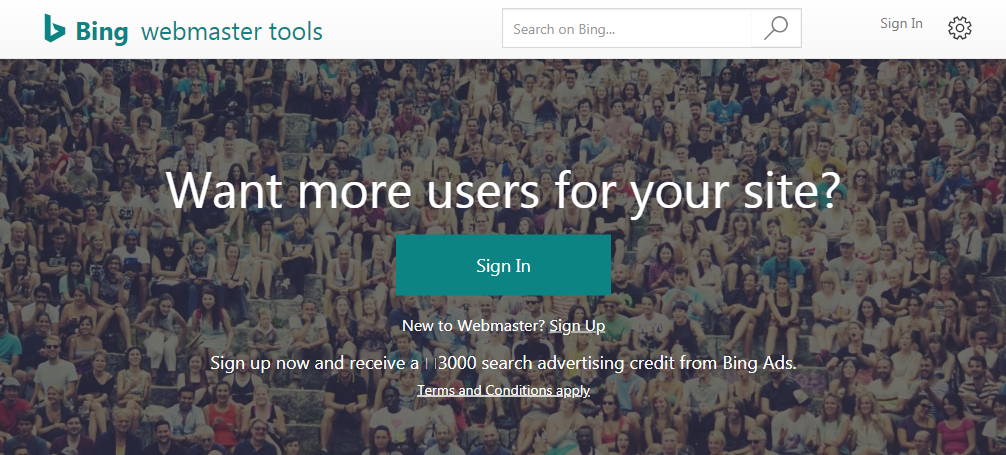
How to use Bing WebMaster tools for Beginners

how to use bing webmaster tools for beginners
  1. Go to Bing Web Master Tools and click SIGNUP.
  2. You can choose to create a Bing Webmaster account using your Microsoft account,Google account or Facebook account.Select your prefer method and proceed to the next step.
  3. Enter your website URL in top box and click ADD.
  4. Specify the location of your XML sitemap and click ADD.
  5. Verify your website.

You can verify your sitemap ownership with Bing using Meta tag verification method.

Meta tag verification

Add the Metadata bing gives to your landing page and snap straightaway,it’s as straight forward as that.In the event that you have a CMS overseen site this is truly simple to do.

How To Create a Free Blog

Blogging

how to create a free blog

A blog is an online journal or informational website displaying information in the reverse chronological order,with latest posts appearing first.It is a platform where a writer or even a group of writers share there views on an individual subject.

Steps to create a Blog:

how to start a blog
  1. Go to Blogger.com.
  2. Click on sign in.It’s in the upper right corner of the window.
  3. Enter a display name and click continue to blogger.
  4. Click on create New Blog.
  5. Type a title for your Blog.
  6. Type a URL for your Blog.
  7. The the word verification and click continue.
  8. Choose a starter template.

You can also refer How to use Feed Burner

How To Use Feed Burner

Feed Burner

FeedBurner

Feed Burner is a web feed management provider launched in 2004.It provides custom RSS feeds and management tools for bloggers,podcasters and other web-based content publishers.

How to setup a Feed Burner account

  1. Go to FeedBurner (feedburner.google.com).
  2. Enter your sites RSS feed link.
  3. Enter a shot name for your page Ideally something shot that relates to your name or website address.
  4. You should see the congrats! confirmation page.Click the “skip directly to feed management” link adjacent to the next button at the bottom of the page.
  5. To complete the initial setup,click the publicize tab at the top > then choose email subscription on the left side.From the email subscription page > click the activate button located at the bottom of the page.